
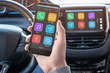
How to Connect Bluetooth in Your Car: Step-by-Step Guide

This material was prepared using AI tools for topic research, structuring and initial draft creation. Fact-checking, editing, expert review and final approval were performed by Maksym Vasyliovych Radomskyi.

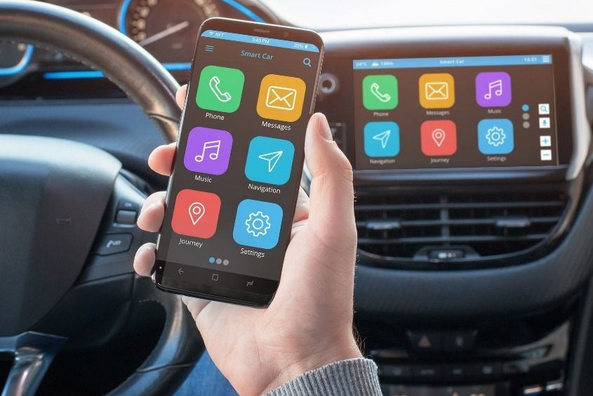
A modern car is hard to imagine without smartphone integration. Connecting via Bluetooth allows you not only to listen to your favorite music wirelessly but also to make phone calls safely using the Hands Free system. Despite the variety of multimedia systems, the synchronization process usually follows a single algorithm. You can also add comfort to your car and upgrade it by using tuning accessories, which are widely available in our online store.

Step-by-step connection guide

To connect your smartphone to the car stereo, follow these steps:

  • Activation in the car: Go to the multimedia system settings and select the “Bluetooth” or “Phone” section. Press the “Add Device” or “Pairing” button.
  • Smartphone settings: Enable Bluetooth in your phone settings and start searching for new devices.
  • Select the device: In the list of available devices, find the name of your car model or stereo brand.
  • Confirm the code: A numeric code will appear on both screens. Make sure the numbers match and press “OK” or “Pair”.
  • Permissions: Allow your smartphone access to contacts and audio so that the caller’s name appears on the car’s display.

What to do if Bluetooth won’t connect?

If the connection fails, try the following:

  1. Update the device list: Delete old smartphones from the stereo’s memory (the number of slots is often limited to 3–5 devices).
  2. Restart: Turn Bluetooth off and on again on your phone and restart the multimedia system, or switch the ignition off and on.
  3. Software update: Check if your multimedia system’s firmware needs an update.

Alternative options

If your car is older and doesn’t have a built-in module, you can use a Bluetooth adapter that connects to the AUX port or an FM transmitter. This is a budget-friendly solution that modernizes any audio system, although the sound quality may be slightly lower than with a direct Bluetooth connection.

Shipping to EU

Wholesale and retail

Own warehouse

Login to the site
Кредит
Покупка частинами monobank

Опис продукту

  1. Наявність кредитної картки від Монобанку
  2. Доступний кредитний ліміт за сервісом "Покупка частинами monobank"
  3. Перший платіж буде списаний у день оформлення

Подарунки не надаються при оформленні покупки у кредит під 0,01% або при покупці частинами.
Request a callback
Notify when available