

































































 Author: Radomskyi Maksym Vasyliovych
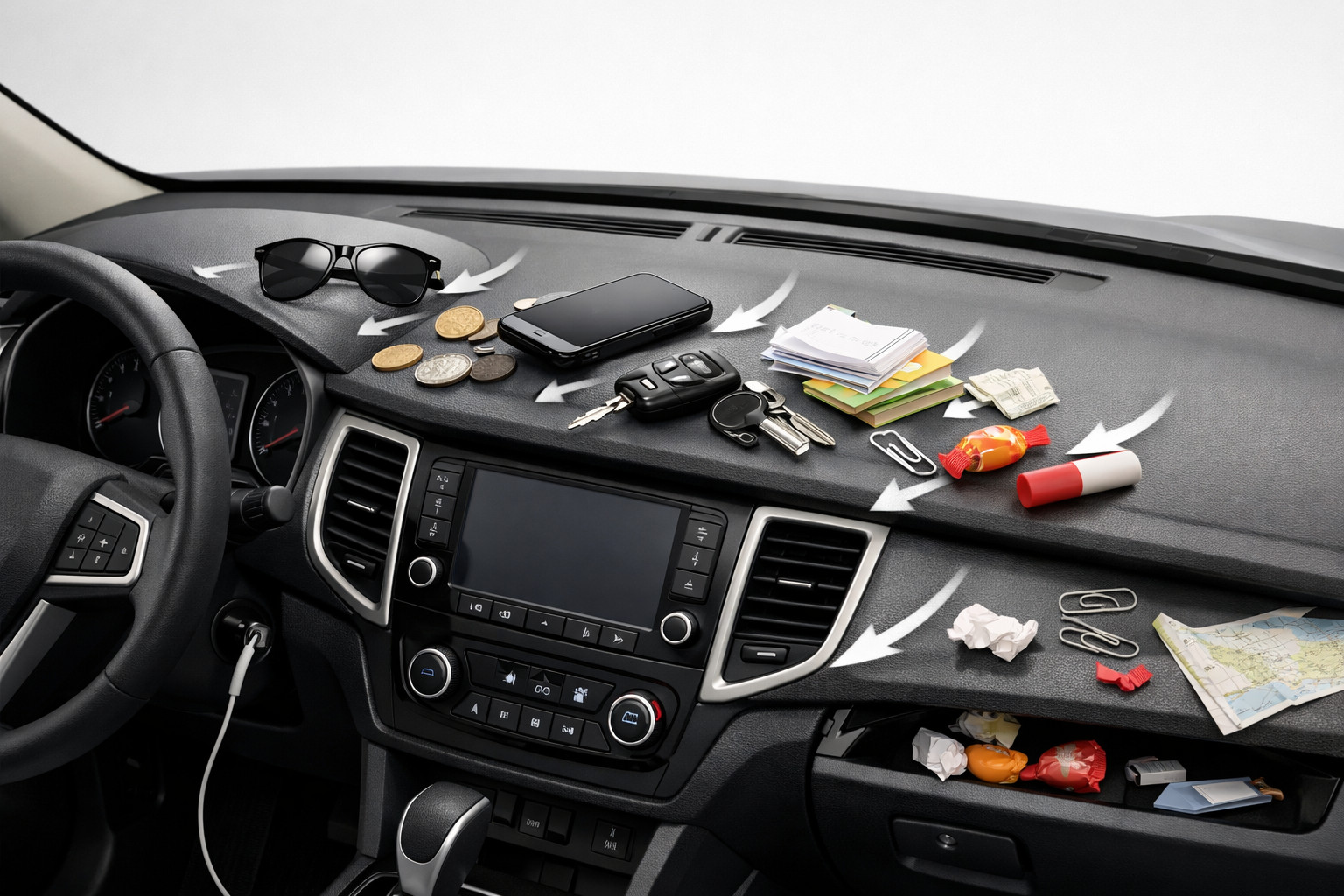
When keys, a parking card, a gate remote, or glasses keep sliding off the dashboard, the problem is almost never just one “bad mat.” Usually several factors stack up at once: a smooth surface, an incline, traces of polish, heat in the cabin, or an ill-chosen accessory without a raised edge.
A different approach works: first restore proper grip to the surfaces, then check the dashboard shape, and only after that choose a tray, an anti-slip pad, or a full cover. If you skip preparation, even an expensive accessory will start to slide, peel off, or leave marks.
Why this problem happens
A dashboard is rarely truly horizontal. Under braking, the load shifts forward; in turns, small items move sideways; over rough asphalt, they bounce. And if the surface is also smooth or treated with silicone dressing, friction becomes too low even for light items.
The second reason is a mismatch between the item and the way it’s secured. A flat anti-slip mat may hold a card or a key, but not a phone in a thick case or a large keyring. A shallow tray without an anti-slip layer won’t help either if the dashboard itself has a noticeable incline.
Main causes
- Residue of polish, wax, silicone, or grease. The panel looks well cared for, but it becomes slippery, and adhesives and Velcro hold worse.
- Smooth, sloped dashboard geometry. Even perfectly clean plastic won’t keep small items in place during hard braking.
- The wrong accessory choice. A flat mat on a curved area, too small a size, or no raised edge gives only a short-term effect.
- Installation mistakes. Installing on a cold, damp, or dirty surface, as well as repeatedly re-sticking, weakens adhesion.
- Season and temperature. In cold weather the material stiffens; in heat, gel and adhesive elements soften and can leave residue.
How to understand the cause in your case
- Wipe the panel with a dry microfiber cloth. If the cloth glides easily and the plastic has an oily shine, the issue is almost certainly leftover dressing.
- Place a plastic card or a key where things keep sliding, then gently rock the car by hand or check behavior on the first smooth turn. If the item moves immediately, the incline and low surface texture are to blame.
- Look at the old mat or Velcro. Lifted corners, sticky residue, or glossy spots on the dashboard indicate the material doesn’t match the surface or is operating at the edge of its temperature range.
- Assess what you actually keep there. Coins, keys, and passes only need an anti-slip layer; larger items need a tray or shelf with a physical stop.
DD Tuning expert comment: the most common mistake is sticking a new accessory onto the dashboard right after polishing and immediately testing it while driving. If you don’t degrease the surface and don’t let the self-adhesive element set for 24–48 hours, the owner concludes that “nothing holds,” even though the issue isn’t the product but the prep.
Symptoms, causes, and what to do (table)
| Symptom | Likely cause | What to do |
|---|---|---|
| Keys slide forward even under light braking | Smooth or polished surface | Clean the panel to a matte finish, remove silicone film, and re-check grip |
| The mat holds for a few days, then shifts | Installed over dust/grease or at an unsuitable temperature | Install only on a clean, dry surface, preferably at 10–38 °C, and don’t touch it for 24–48 hours after fixing |
| Items fly off only in turns | Cross-slope of the dashboard or a tray that’s too shallow | You need a tray with a raised edge or a shelf, not just a flat mat |
| Sticky or glossy marks remain on the dashboard | Cheap gel material overheats | Remove the accessory, gently clean the plastic, and replace the solution with a higher-quality anti-slip or rigid element |
| The accessory corners lift up | The surface is curved, or the item hasn’t flattened after storage | Let a new mat sit laid out for at least 12 hours; if the shape doesn’t match, look for a different type of accessory |
| In hot weather everything holds worse | Cabin overheating weakens adhesive or gel base | Don’t leave a sticky element in direct sun for long; for heavier items switch to a shelf or tray |
What actually helps
First — cleaning. The panel must be clean, dry, and degreased. After proper cleaning, the plastic becomes more matte, and small items slide noticeably less even without new purchases.
Second — match the solution to the dashboard shape. If your car has a recess or an almost horizontal section, a vehicle-specific tray or shelf works best. If the area is convex and short, a small anti-slip element under light items will be more effective.
Third — correct installation. Install a new element on a warm, dry surface—not in freezing conditions or right after washing. Self-adhesive fasteners need time to reach full strength, so constant re-sticking only makes results worse.
Fourth — full coverage only with proper cutouts. If the issue goes beyond clutter and the panel also shines, overheats, or is already worn, an individual cover with cutouts for sensors, vents, windshield projection, and the passenger airbag seam makes sense. Blindly covering these areas is a bad idea.
What almost doesn’t work or only helps briefly
- Cheap gel mats on a dirty or polished dashboard. At first they seem to hold, then they shift or leave residue.
- Household heavy-duty degreasers, abrasive sponges, “garage” solvents. They can ruin the plastic texture faster than they solve the problem.
- Double-sided tape across the entire area. If the dashboard shape is unfavorable, tape won’t change the physics of sliding, but it will add hassle when removing.
- Trying to keep heavy items on the dashboard without a raised edge: a phone, a thick wallet, a large keyring. They need a different type of retention.
In short: if the cause is a slippery surface, a decorative trim won’t replace proper organization. If the cause is geometry, a sticky base alone won’t save you either.
When accessories or replacing elements makes sense
Accessories make sense when you already understand what exactly you need to solve: create a dedicated spot for small items, add grip, or refresh a worn surface. For everyday clutter, the most logical options are:
- a dashboard shelf — when you need a dedicated place for cards, keys, and small items, and the dashboard allows a more rigid organizer.
- an anti-slip dashboard mat — when you need to quickly keep light items in place without complex installation and without fully covering the panel.
- dashboard covers — when the factory surface is already scuffed, too slippery, or damaged, but keep in mind: a cover doesn’t replace a tray and must not overlap sensor zones, vents, HUD, or the airbag.
In any case, don’t turn the top of the dashboard into a storage shelf. The passenger airbag deployment zone must remain clear, and any accessory should avoid its seam line and must not block ventilation and sensors.
Solutions: when they work and when not to waste money (table)
| Solution | When it works | When it’s not worth spending money |
|---|---|---|
| Deep cleaning and degreasing the panel | When the dashboard is shiny, slippery to the touch, or things started sliding after detailing | When the issue isn’t slipperiness but a steep incline and lack of a raised edge |
| A small anti-slip mat | For cards, keys, key fobs on a relatively flat area | For a phone, heavy items, a convex dashboard, or heat where gel quickly loses performance |
| A shelf or tray with a raised edge | When you need a permanent place for small items and there’s somewhere to install it | When the dashboard has a critically unfavorable shape or the accessory ends up in a safety zone |
| Full dashboard cover with cutouts | When you need to reduce sliding and glare and protect a worn surface at the same time | When the product is universal and doesn’t account for sensors, vents, HUD, or the airbag |
| Replacement or decorative cover | When the old surface is damaged, scuffed, or has lost its texture | When you expect it to organize small-item storage by itself |
From a customer’s experience: a typical situation looks like this—someone first buys a cheap sticky mat, sticks it onto a glossy, freshly polished dashboard, and gets disappointed a week later. After proper cleaning and switching either to a small anti-slip element for keys or to a shelf matched to the dashboard shape, the clutter disappears without extra modifications and without marks on the plastic.
Conclusion
To eliminate clutter on the dashboard, don’t look for a “magic” accessory—identify the real cause: a slippery surface, unfavorable geometry, the wrong product type, or installation mistakes. In most cases, a matte, oil-free cleaning helps first, and then either an anti-slip element for light items or a shelf/tray with a raised edge.
If you need full coverage, choose only solutions with correct cutouts and don’t cover safety zones and sensors. This material is based on real selection experience, practice, and real-world use cases—not on the myth that any mat works the same on every dashboard.
How it works
- Clean the dashboard of residue First, wipe the panel with a microfiber cloth and remove any remaining polish, wax, silicone, and grease. The surface should be dry, degreased, and closer to matte — otherwise any accessory will slide.
- Check what is causing the slipping Place a small item in place and see whether it shifts even with light braking or turning. If so, the problem is the slope and the smooth geometry of the panel; if the mat lifts the corners or leaves a mark, the material or installation method is not suitable.
- Choose a solution for the panel shape For a relatively flat area, a small anti-slip mat for cards, keys, and key fobs will do. If the panel is sloped or you need a separate place for small items, it is better to install a shelf or tray with a lip.
- Install the accessory correctly Mount the item only on a clean and dry surface, preferably at a temperature of 10–38 °C. After fixing it, do not stick it back immediately and let the self-adhesive elements sit for 24–48 hours.
- Do not overload the dashboard and consider safety Do not place heavy items on the dashboard without a lip: a phone in a thick case, a large bunch of keys, or a thick wallet. If full panel coverage is needed, choose only a product with cutouts for sensors, vents, HUD, and the airbag area.